Item Cross Reference Table Search - WAR 22
The Item Cross References Search Program allows you to enter any item number, with or without a manufacturer code prefix and view all of the items it could possibly be associated with. The program verifies your entry against your internal item numbers, your supplier's item numbers, your customer's item numbers and every internal/EDI item cross reference table. This program can assist warehouse personnel in identifying products when all they have is a number on a box or a packing slip.
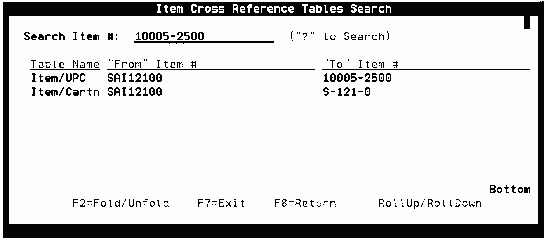
The Item Cross Reference Search appears as follows:
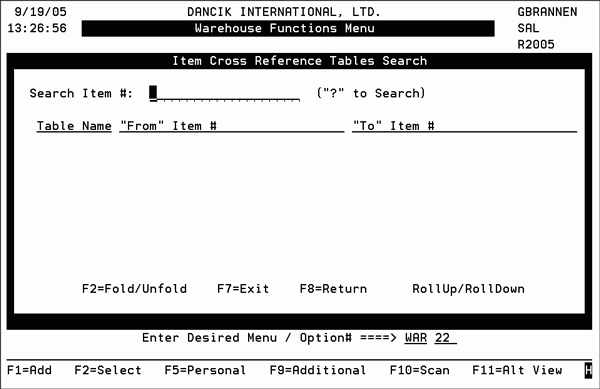
- Enter an item number (or any number that relates to an item) in the Search Item# field and press Enter. The system checks the item files to see if the item number you entered relates to one of several possible numbers. The item number does not have to be an item number within your Item Master File. The program will search the following files and fields for the item number:
- The Item Master File
- The Supplier's Item number field
- All Customer Item numbers, as entered within the Customer Preferences File
- All EDI cross reference tables that have a From Item and To Item column.
- You may scan or enter any number associated with an item, such as a number found on the suppliers' carton, and find all the other numbers associated with that item.
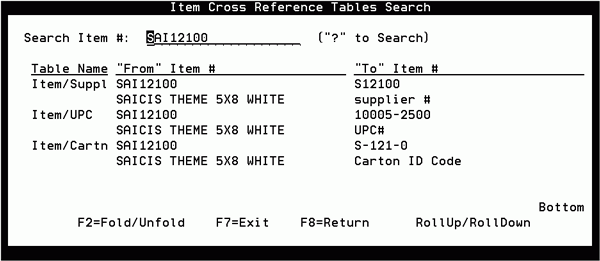
- Press F2=Fold/Unfold to display more information about the items.
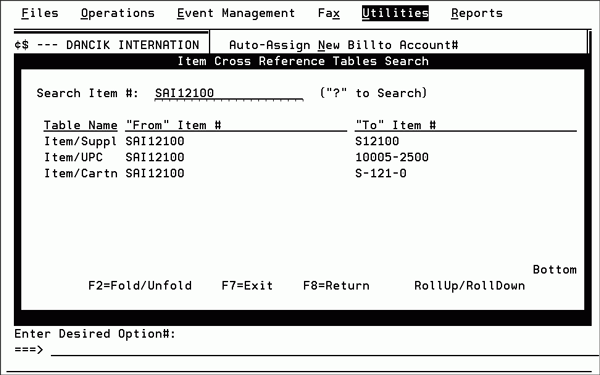
- In this example, the system found cross references for the item in three areas of the item file: The supplier's item number, UPC, and carton codes.
- If the item number 10005-2500 were entered on this screen, it would cross reference back to the original number (SAI12100).
- This program also searches through all customer-specific item cross reference tables, as found in the Customer Preference Files and within all the EDI tables.
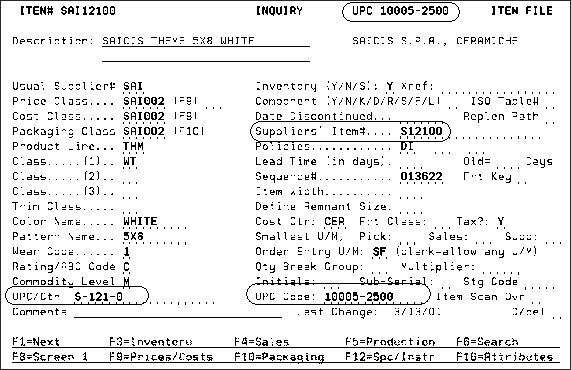
The following figure shows the item file information for item number SAI12100. The fields that are cross referenced are circled.