Need more info or you couldn't find what you were looking for, let us know by sending an email to: support@dancik.com.
Set-up for Supplier Data Tab In Navigator Inventory Inquiry
This Supplier Data tab uses the fcb2b web service inventoryinquiry to retrieve item information from a supplier’s system.
Channel Management Solutions (CMS) - In order to use this functionality, CMS must be activated on your system.
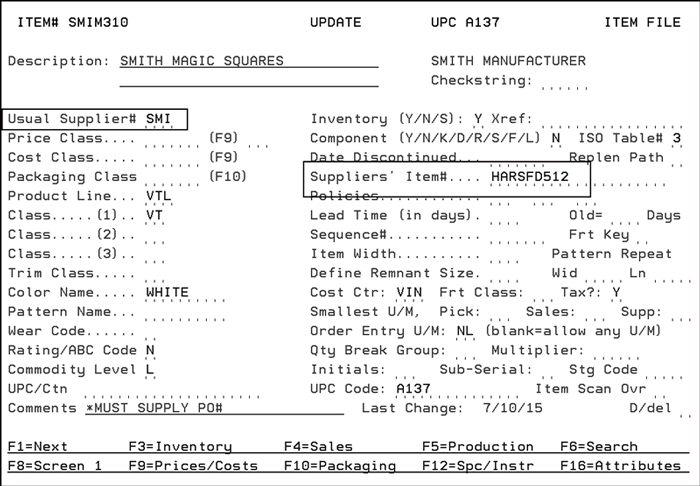
Item File (FIL 2) - The item has to have a Usual Supplier# and a Suppliers' Item# assigned.
Supplier File (FIL 3) - An F11 = B2B Config function has been added that allows you to add the URL and API access keys.

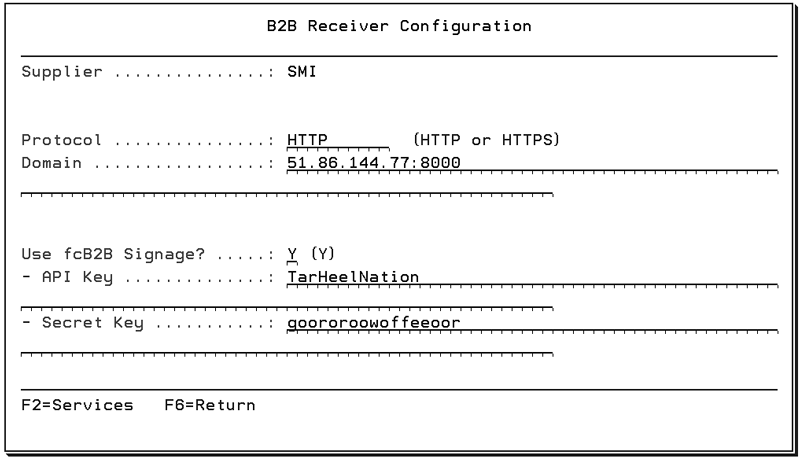
Use the initial screen to enter information that applies to all the fcb2b web services for this supplier.
Option |
Description |
Protocol Domain |
Use these fields to establish and maintain a URL for web services. The HTTPS option basically means your computer is talking to the website in a secure code. The Domain name is the IP address that the web services will use to access the supplier’s system. |
Use fcB2B Signage? |
This field adds an additional level of security. If a “Y” is entered both the API Key and Secret Key must be populated. If an “N” is entered, only the API Key has to be entered. |
API Key |
The API Key identifies the user making the web service call to the supplier. |
Secret Key |
This key further identifies the user using the web service to check on a supplier’s stock. It provides another level of security. |
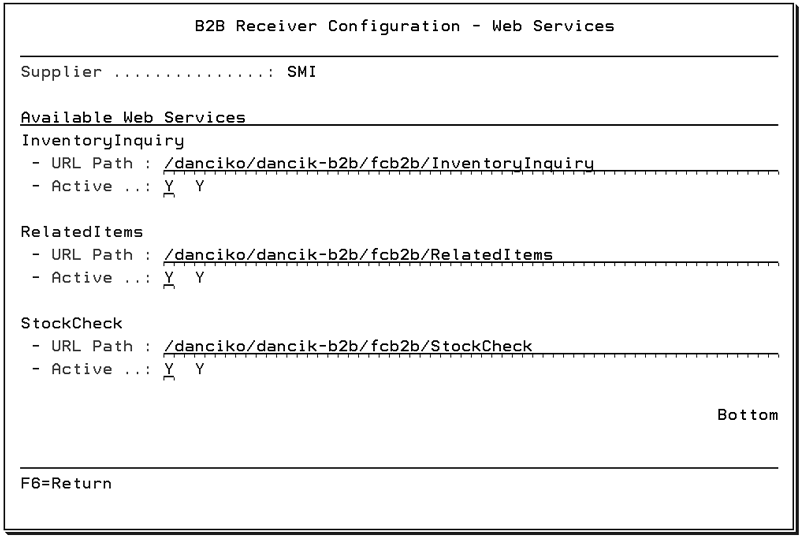
Press the F2 = Services function to see the web services available for the supplier.
Note: The Supplier provides the URL Paths.